
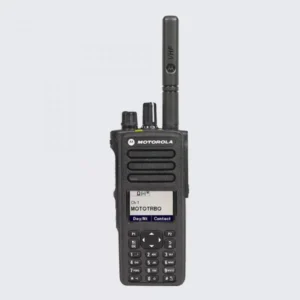
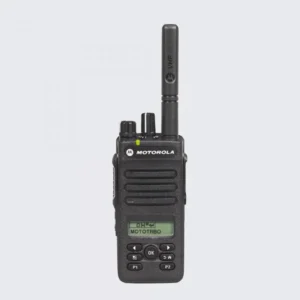
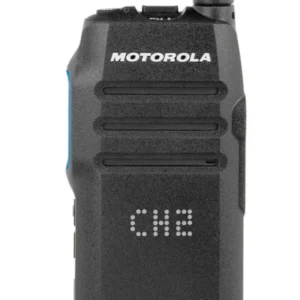
Motorola APX radios are powerful tools, but to get the most out of them, you need to customize features, settings, and accessories to match your team’s operational needs. Proper customization improves speed, clarity, safety, and overall workflow in the fiel
1. Program Channels and Talkgroups for Quick Access
- Organize by function or department: Set channels for specific teams (police, fire, EMS) or task-specific operations (dispatch, command, support).
- Use talkgroups efficiently: Assign talkgroups to reflect operational priorities so users can switch instantly without scanning multiple channels.
- Label clearly: Program channel names that are intuitive for team members to reduce confusion in high-pressure situations.
Benefit: Faster communication and reduced errors during critical moments.
2. Optimize Audio Settings
- Adjust volume and speaker settings: Ensure clarity even in noisy environments by optimizing speaker gain and microphone sensitivity.
- Enable noise-canceling features: APX radios can filter background noise for clearer transmissions.
- Use voice-activated transmission (VOX) selectively: Ideal for hands-free scenarios but can be adjusted for environmental noise levels.
Benefit: Clear, intelligible communication, even in chaos or extreme conditions.
3. Integrate GPS and Data Features
- Enable GPS tracking: Helps dispatch or command centers locate team members quickly.
- Set up real-time status alerts and messaging: Allows discreet communication when voice isn’t ideal.
- Integrate with dispatch software or mapping tools: Ensures the team has situational awareness and can make data-driven decisions.
Benefit: Improved coordination, faster response times, and better situational awareness.
4. Customize Buttons and Shortcuts
- Assign programmable buttons: Map frequently used functions (emergency alert, channel switch, scan, or private call) to physical buttons.
- Use priority scan: Configure radios to monitor high-priority channels while allowing access to secondary channels.
- Set up emergency buttons: Ensure one-touch emergency alerts are properly configured to notify dispatch immediately.
Benefit: Quicker access to essential functions, enhancing response efficiency and safet
5. Accessorize for Your Team’s Needs
- Headsets and microphones: Use noise-canceling or remote speaker microphones for hands-free operation.
- Battery packs and chargers: Upgrade to high-capacity batteries for longer field use.
- Holsters and clips: Position radios for easy reach and accessibility during operations.
Benefit: Improves ergonomics, field readiness, and reduces downtime due to battery or handling issues.
???? 6. Enable Security and Encryption Settings
- Program encryption keys: Ensure voice and data are secure.
- Configure authentication settings: Only authorized users can access specific channels or networks.
- Regularly update firmware and keys: Keep devices secure against evolving threats.
Benefit: Protects sensitive information and maintains operational integrity during critical missions.
Conclusion
Customizing your Motorola APX radios transforms them from standard communication tools into mission-critical efficiency enhancers. By tailoring channels, audio, GPS/data, button assignments, accessories, and security settings, your team can communicate faster, respond smarter, and operate safely in any situation.

